-
Ever wondered what those four-digit model numbers used on Dell Latitude devices (for example “Latitude 7275”) mean? This helpful guide should answer your questions. First Digit This shows the range the device belongs to. 3 is used the entry level “Essential” models, 5 on the mid range “Mainstream”, and 7 the high end …
Read More -

A new feature in Windows 10 is the ability to locate a missing device. Want to check you left your Surface at the Office and not on the train?- here’s how. Step 1- Make sure you’ve updated to at least the November 2015 build of Windows 10 (v1511, 10586) using Windows Update. Step 2- Go to “Settings” and choose “Find My …
Read More -
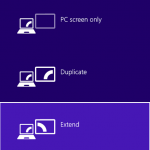
I’ve been using a Surface Pro as my main work computer now for over a year. I love it, the form factor works well for me on the move and coupled with the Targus USB Docking station I get a full, normal, desktop experience when I’m at my desk. However as with anything electronic (or indeed mechanical) sometimes things …
Read More -
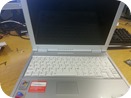
Our office just had a pile of these in for disposal and as part of our process we remove the Hard Drives. This isn’t quite as straightforward as we’d like, so in case anyone else comes across this issue, here’s a quick how-to guide. Remove the battery. Locate the two screws underneath and remove them with a small …
Read More